
Archive for the 'Mac' Category

Google Chrome vs Apple Safari

I have switched to Google’s Chrome 6.0.453.1 dev as my main web browser of choice from Apple’s Safari 5.0 (6533.16). Safari has been acting up more often recently. It will hang or freeze at seemingly random times. Facebook games do not work well with Safari any more. Getting the spinning beach ball too often with Safari 5 has made the decision for me. Firefox has always been too slow for me, with or without extensions. Safari has been twice as fast as Firefox.

Importing my Safari settings into Chrome was simple and fast. In Chrome tabs are located on the top of the window versus below the bookmark bar in Safari. There are other subtle differences that will be easy to adjust to as time goes by.

EDIT: Chrome imported all bookmarks from Safari but without my folder organization. Import order was as if folders did not exist, not alphabetically. This will make it easier to re-establish some kind of organization. Using six extensions with Chrome does seem to slow initial launch down a few seconds until google reader and gmail indications load, still not a decision to use deal breaker.

iMac i7 appreciation

A little while ago I purchased a refurbished iMac i7 to replace my aging iMac 20-inch. My last four Macs have been refurbished models. The 27″ screen is amazing. The size allows me to have two full page windows open and viewable at the same time. I only have 4 GB of RAM for now, which should be plenty for what I do, but 8 GB couldn’t hurt.
I initially was using the wireless small keyboard with the Magic Mouse, but have recently changed back to a more traditional set-up. I now use a wired Apple full-size keyboard and a Logitech M500 corded mouse or a Kensington Expert Mouse trackball. I prefer the full-size wired keyboard with number pad. The Magic Mouse works great, nice feel and responsive to Multi-Touch but was a bit twitchy at times on some web sites I visited and would occasionally lose the bluetooth connection. Battery life was not a big deal since I used rechargeable AAs and would monitor remaining charge. But I did grow tired of that and wired components don’t bother me and I never have connection issues.
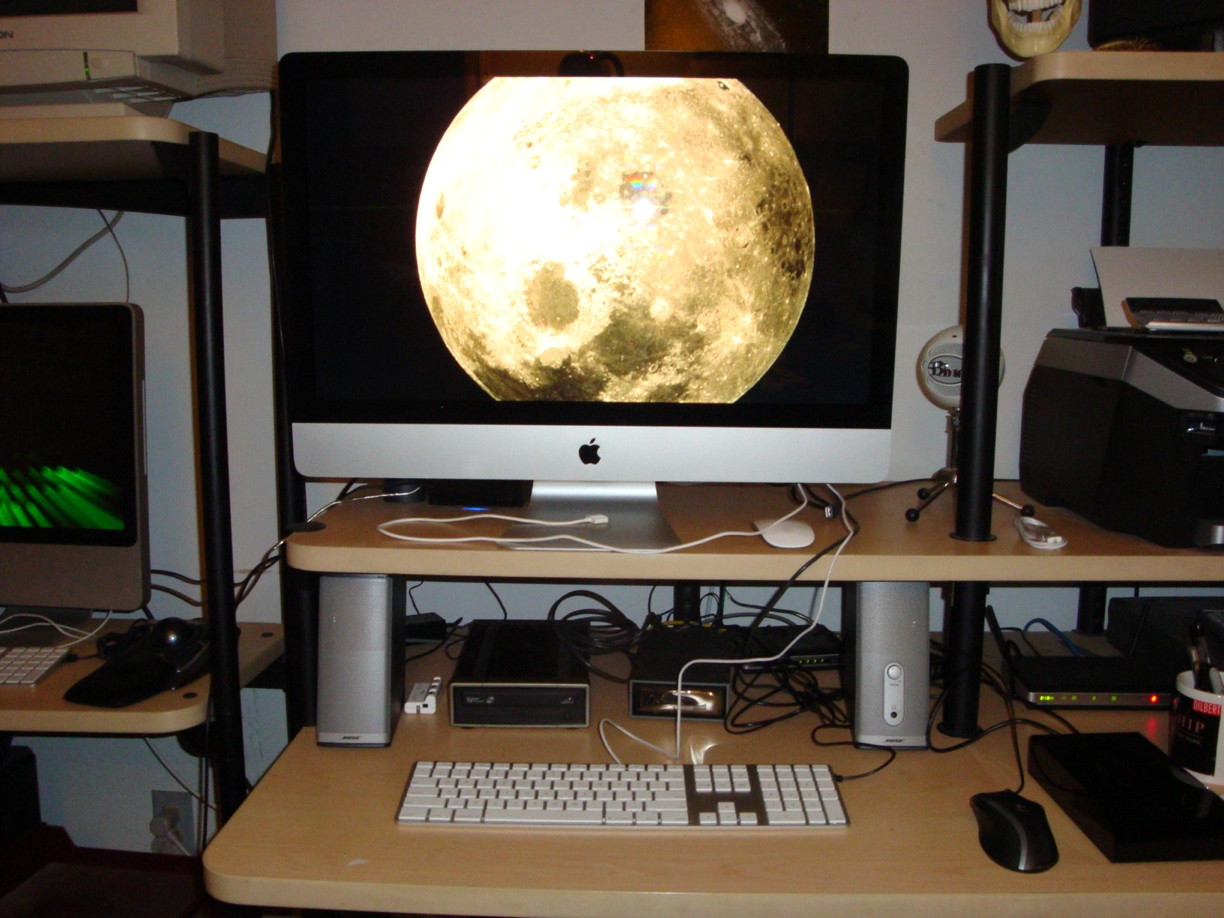
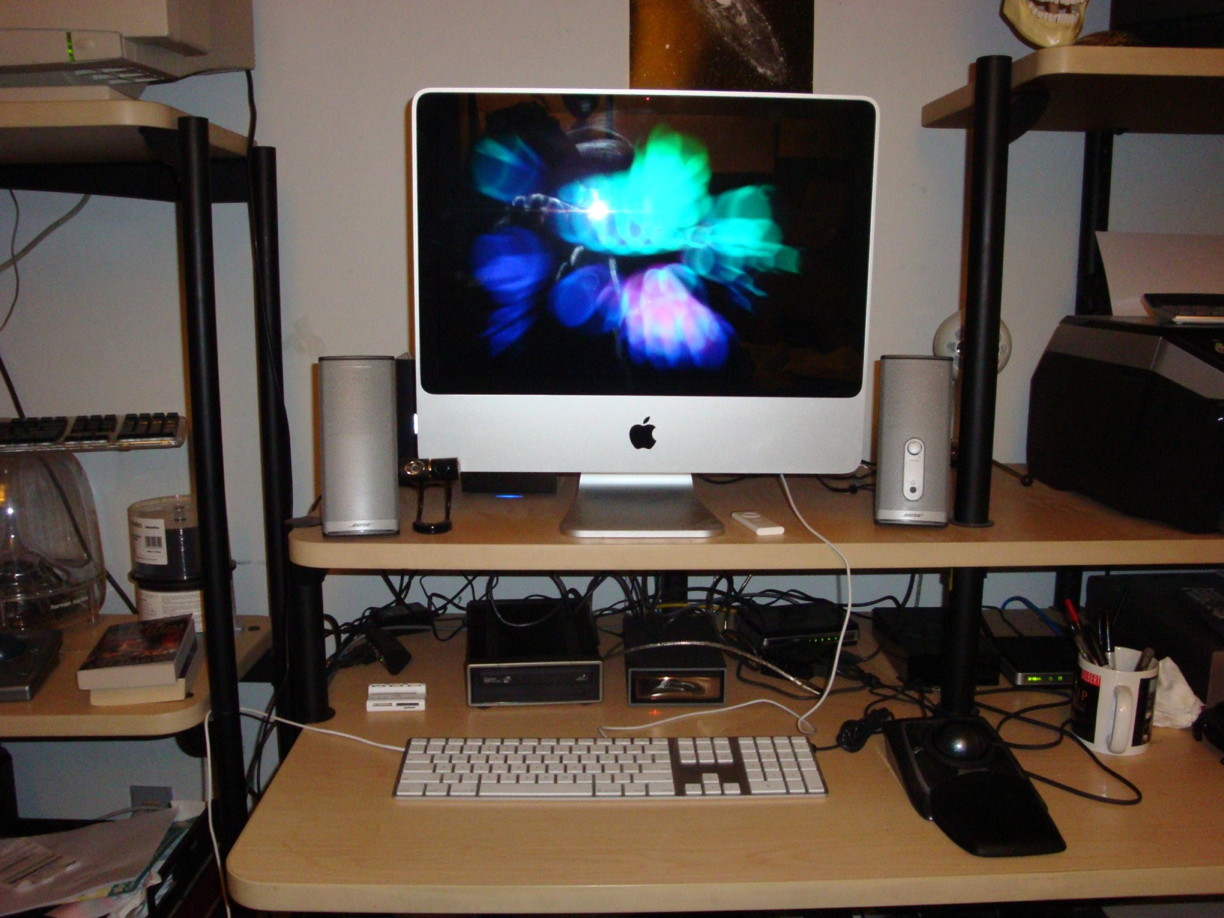
Current: iMac i7

Past: iMac 20-inch

See a more complete computer history under About tab.

Mac OS 10.5.7 upgrade

After another hang up when upgrading to the current Mac OS X using ‘Software Upgrade’. In the future, I will download the Combo update from Apple and install manually. This procedure work with the 10.5.6 upgrade that actually froze unfinished when using ‘Software Upgrade’.

After downloading the Combo update (729 MB), everything went smoothly. Additionally I have always repaired permissions after any software installation. My favorite maintenance program include Onyx and MainMenu, both free.

Bought an iPhone

I finally bought an iPhone. I got the 8GB, since I already own a 32GB iPod Touch and numerous other iPods, I don’t need the larger 16GB iPhone with the higher price.

I have been reviewing the Apple iPhone and the ATT iPhone pages recently to refresh my knowledge on the purchase and activation procedures. On the ATT wireless website there is a pre-qualification procedure you can use to check your eligibility before you go to a store. I chose to do this. Afterwards I got a confirmation number to use when I go to an ATT store. The confirmation was good for 90 days.

I went to the closest ATT store an hour before they closed. There were four employees in the store and no customers. I was pleasantly greeted. I said I was interested in getting an 8GB iPhone. One of the employees immediately said she could help me. She verified I wanted the 8GB model and went in the back to get one. I gave her my confirmation, which she said she was pleased that I had done that part already. She asked me about what services I wanted and did I want a case. I chose the cheapest ATT plan at 450 minutes and no case yet. She then asked about text messaging, I told her none for me. Although the basic text messaging plan is only $5/month. I may consider it later.

After entering my personal data she gave me a choice of three phone numbers with the area code of my choice. I chose one. I greed to the 2-year contract. Then paid for the activated iPhone. That was it. I got my receipt, iPhone in pocket, and bag with iphone box, etc. The entire process was quick, easy, and pleasant. 10 minutes.

I had to use my new iPhone almost immediately after leaving the store. My car would not start. I took a couple of pictures while waiting.

After getting car started and returning home I plugged my iPhone into iTunes. I registered my iPhone and synced some of my apps, music, etc.

This was an extremely easy process. Now I need to find a case.

Macworld 2009 news

This morning I saw a link on a Yahoo news section of my home page that stated that Steve Jobs would not be going to Macworld this year. And Apple will not attend Macworld in 2010 even if there is one.

According to my own Macworld info, my Expo pass states that Macworld 2010 will be January 4-8. Yes, I am still going to Macworld 2009. This will be my 3rd. Even if Apple does not attend in 2010 I would consider going depending on hoe Apple tech develops through 2009.

When I first saw the story about Apple and Macworld I googled the story for more news from different perspectives. There was only one story at 5 pm. Now at 8:45 pm there are 638 links to stories.

Mac OS X 10.5.6 update issue

When trying to update my system software through Software Update to Mac OS X 10.5.6 I ran into a small snag. After downloading the update (190 MB) I did the required restart. During the install my Mac stalled on “Configuring Installation”. After about 15 minutes I gave up.

After a hard restart I checked MacFixIt for any suggestions. I downloaded the combo update directly from Apple (668 MB). Install of the Mac OS X 10.5.6 update work as expected.

this-mac-1056