
I continued to randomly check the refurbished iPod section of the Apple Store. On Feb 1st about 12:30 a.m. the Apple Store was almost fully stocked on 5th gen iPod Nanos. I quickly went through the purchase procedure. This time everything went smoothly and completed. Of course now there are many 6th gen iPod Nanos available. I still prefer the 5th gen nano and also like my old 3rd gen nano.
iPod Nano 5th gen
I have been thinking about getting a refurbished iPod Nano 5th gen from the Apple Store. They were plentiful before last Christmas. Now they are hard to find, which makes sense since it is a previous model. I check the Apple Store periodically for availability on refurbished iPods.
Well, this morning, to my surprise, the Apple Store had an almost full selection of 5th gen iPod Nanos in the refurb section. Great, I thought, I can finally get one. I selected the color I wanted and clicked add to cart. Nothing happened. It turns out that in the minute or two I took to decide and process the order Apple sold out. I selected my second color choice and successfully added the iPod to my cart. Then I went to process my order and verify my credit card. In the less than a minute time that went by Apple sold out again. I wrongfully thought that if an item was in your cart that you had saved/allocated selected item until finish processing.
I will still continue to check availability. The hope of actually getting one is not good. I could try craigslist, but that is too iffy.
iMac i7 appreciation
A little while ago I purchased a refurbished iMac i7 to replace my aging iMac 20-inch. My last four Macs have been refurbished models. The 27″ screen is amazing. The size allows me to have two full page windows open and viewable at the same time. I only have 4 GB of RAM for now, which should be plenty for what I do, but 8 GB couldn’t hurt.
I initially was using the wireless small keyboard with the Magic Mouse, but have recently changed back to a more traditional set-up. I now use a wired Apple full-size keyboard and a Logitech M500 corded mouse or a Kensington Expert Mouse trackball. I prefer the full-size wired keyboard with number pad. The Magic Mouse works great, nice feel and responsive to Multi-Touch but was a bit twitchy at times on some web sites I visited and would occasionally lose the bluetooth connection. Battery life was not a big deal since I used rechargeable AAs and would monitor remaining charge. But I did grow tired of that and wired components don’t bother me and I never have connection issues.
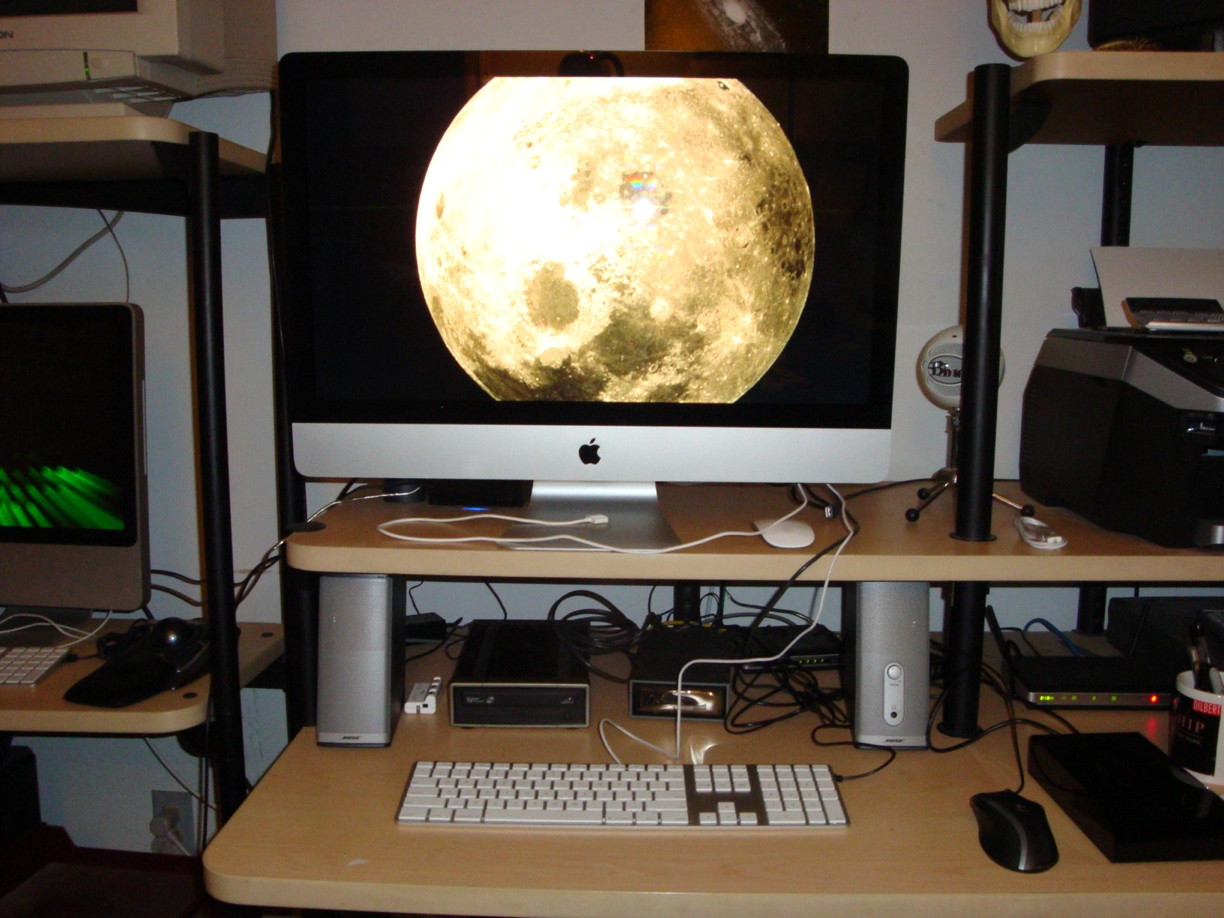
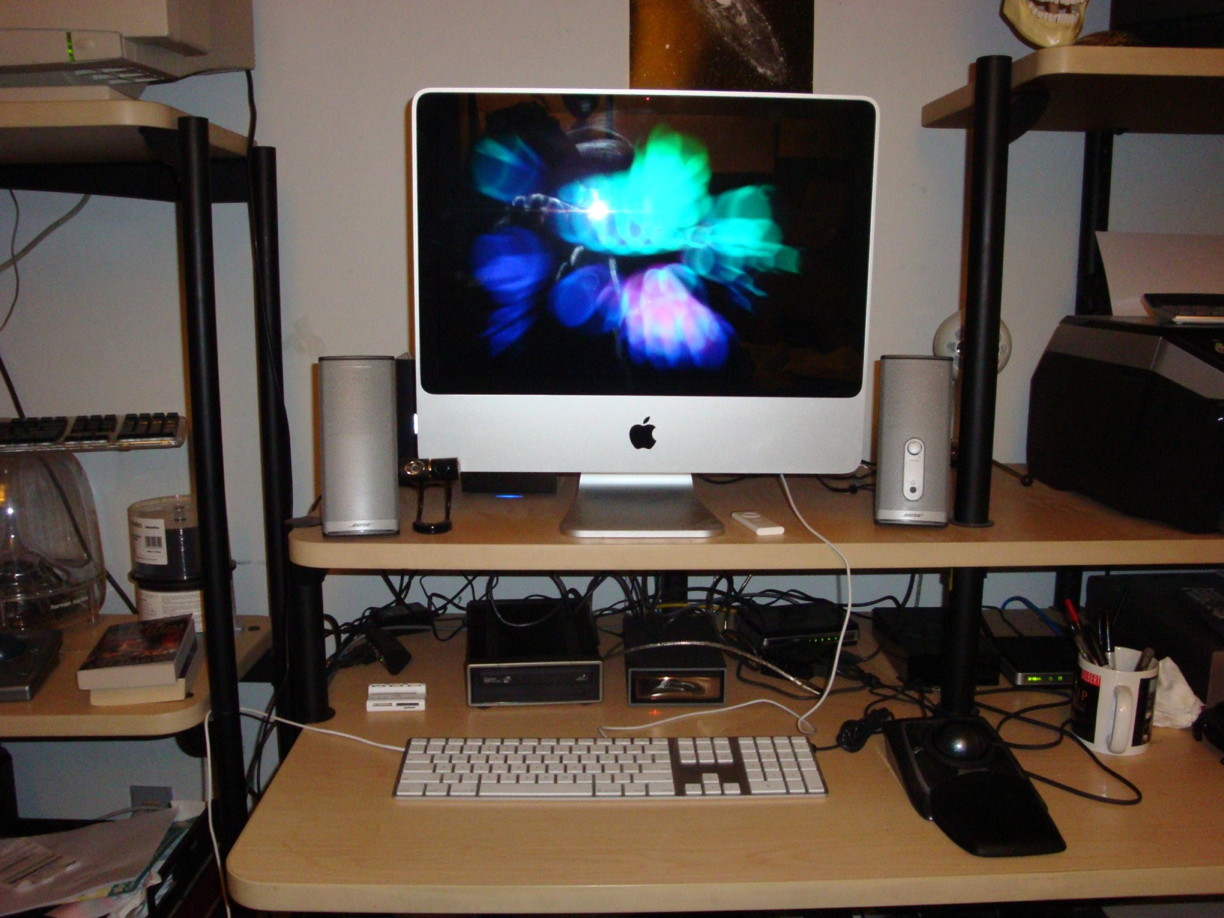
See a more complete computer history under About tab.
iPhone 4 shipping early
I got an email with tracking number showing that my iPhone 4 has shipped TODAY.
I placed my order early evening on June 15th with Apple and my confirmation stated that my iPhone 4 would ship by July 2nd with an arrival between the 6th to 8th. I had read that some iPhones had shipped early. Since then I have been checking multiple times a day to see if my ship date got moved up. It did. So basically, I will get my iPhone 4 a week earlier than expected.
Apple handled the iPhone 4 ordering excellently. They gave a reasonable initial ship date in order to cover their demand. Once things were sorted out and initial exceptions were being realized Apple SHORTENED the ship date. This of course make customer happy. Not like other vendors that cancelled confirmed orders and increased ship time. This demonstrates that Apple does know how to judge demand with a new product. Having good balance between customer expectations and actual quantity to manufacture is difficult and risky.
iPhone 4 upgrade experience
Since I was awake at 1:30 AM June 15th, I decided to checkout the Apple Store website. At first I was not thinking about pre-ordering an iPhone 4, I was actually checking if there were any iPod classics available on the refurbished site. Well, the Apple Store was down for maintenance.
After that I thought I would check with AT&T wireless website about upgrading information for the iPhone 4. The iPhone specific page loads with a big iPhone 4 ad with an pre-order select button. Pressing the button takes to a log-on screen for your account for upgrading. I entered required information. The response tells me that I am eligible NOW to upgrade my iPhone 3G (No S). Until recently I was due to be eligible on 21 June. Next page fails. There was a warning that AT&T is unable to process my inquiry. So that was that off to bed.
Next try, 7:30 AM. Same thing with both Apple and AT&T. Off to work.
3rd try, 7:00 PM. AT&T same response still. Lucky for me the Apple Store is up and running. I selected iPhone 4 32G pre-order and checked the appropriate upgrade path. Next Apple checked my AT&T eligibility. Information came back showing my current AT&T phone, messaging and data plans with an option to keep current ones or change. I kept old plan for now.
Next step was a choice on iPhone 4 delivery method. Either ship to or in-store pick-up. The in-store pick-up option stated that there were no reservations available but I could go to my local store and get an iPhone 4 on a first come basis on June 24th. I had not chosen an actual local store at this point. That option was too iffy, especially since I would be at work until 6 PM. Who knows what in-store availability will be like the first weekend, probably not good.
I chose the ship to method. The page stated that the iPhone 4 will ship by July 2nd. Yes July 2nd. My confirmation reaffirms this and adds delivers by July 6th – 8th by standard shipping.
Hopefully these dates won’t be extended. This will give two weeks to read and here all the comments from those who got the iPhone 4 on the first day.
First Apple Genius appointment
I had my first real talk with an Apple Genius today about my failing 20” iMac. It went very well compared to my last drop-in visit. I described my problem and got the answers I expected. I was told that Apple will only replace the internal hard drive with the same size it already has. Strange since I was told last time that they would replace it with any size which would vary the price. Anyway, for a 320GB drive replacement I am looking at $500+.
It was suggested that I could take the iMac into a different authorized service provider in order to get an upgraded hard drive replacement. I did email and call the two local non-Apple authorized service providers but got no response after multiple tries over a week.
Essentially, that is just too much for me especially with only a 320 GB drive. My flakey internal optical drive appears to my a dirty or bad lens so to replace the internal optical drive would cost $300+. $800 to repair an over 3 year old computer is too high, so I opted for complete replacement – 27” iMac i7. Once I get my new computer up and running then I will buy a 1 TB drive from OWC for the 20” iMac and replace it myself.
Bought a 27″ iMac i7
Well, I finally got around to replacing my old 20” iMac 2.4 GHz (mid 2007). I have been living on borrowed time since the internal 320 GB hard drive in my 20” iMac is failing SMART. It could totally fail anytime. I do have multiple backups, so I am not worried when the time comes.
I briefly asked an Apple Genius a few weeks ago what the cost would be to replace the internal hard drive to a 500 GB model. After some confusion on their part not understanding what model I was describing and that I have NO warranty, I was told over $500. I made an official Genius appointment for tomorrow in order to ask about this in detail. Additionally, the internal optical drive is flakey. The drive does not always recognize disks, usually DVD movies I get from Netflix.
Next week after I receive my 27” iMac i7, I will replace the hard drive in my 20” iMac myself. There is plenty of videos and HD pictures available. OWC has 1TB drives for under $100 plus a tool kit. Since I was a tech in the military, taking apart the iMac is not too much of a hassle after watching some video procedures.
Bought an iPhone
I finally bought an iPhone. I got the 8GB, since I already own a 32GB iPod Touch and numerous other iPods, I don’t need the larger 16GB iPhone with the higher price.
I have been reviewing the Apple iPhone and the ATT iPhone pages recently to refresh my knowledge on the purchase and activation procedures. On the ATT wireless website there is a pre-qualification procedure you can use to check your eligibility before you go to a store. I chose to do this. Afterwards I got a confirmation number to use when I go to an ATT store. The confirmation was good for 90 days.
I went to the closest ATT store an hour before they closed. There were four employees in the store and no customers. I was pleasantly greeted. I said I was interested in getting an 8GB iPhone. One of the employees immediately said she could help me. She verified I wanted the 8GB model and went in the back to get one. I gave her my confirmation, which she said she was pleased that I had done that part already. She asked me about what services I wanted and did I want a case. I chose the cheapest ATT plan at 450 minutes and no case yet. She then asked about text messaging, I told her none for me. Although the basic text messaging plan is only $5/month. I may consider it later.
After entering my personal data she gave me a choice of three phone numbers with the area code of my choice. I chose one. I greed to the 2-year contract. Then paid for the activated iPhone. That was it. I got my receipt, iPhone in pocket, and bag with iphone box, etc. The entire process was quick, easy, and pleasant. 10 minutes.
I had to use my new iPhone almost immediately after leaving the store. My car would not start. I took a couple of pictures while waiting.
After getting car started and returning home I plugged my iPhone into iTunes. I registered my iPhone and synced some of my apps, music, etc.
This was an extremely easy process. Now I need to find a case.
Macworld 2009 news
This morning I saw a link on a Yahoo news section of my home page that stated that Steve Jobs would not be going to Macworld this year. And Apple will not attend Macworld in 2010 even if there is one.
According to my own Macworld info, my Expo pass states that Macworld 2010 will be January 4-8. Yes, I am still going to Macworld 2009. This will be my 3rd. Even if Apple does not attend in 2010 I would consider going depending on hoe Apple tech develops through 2009.
When I first saw the story about Apple and Macworld I googled the story for more news from different perspectives. There was only one story at 5 pm. Now at 8:45 pm there are 638 links to stories.